Open the Refer & Save page
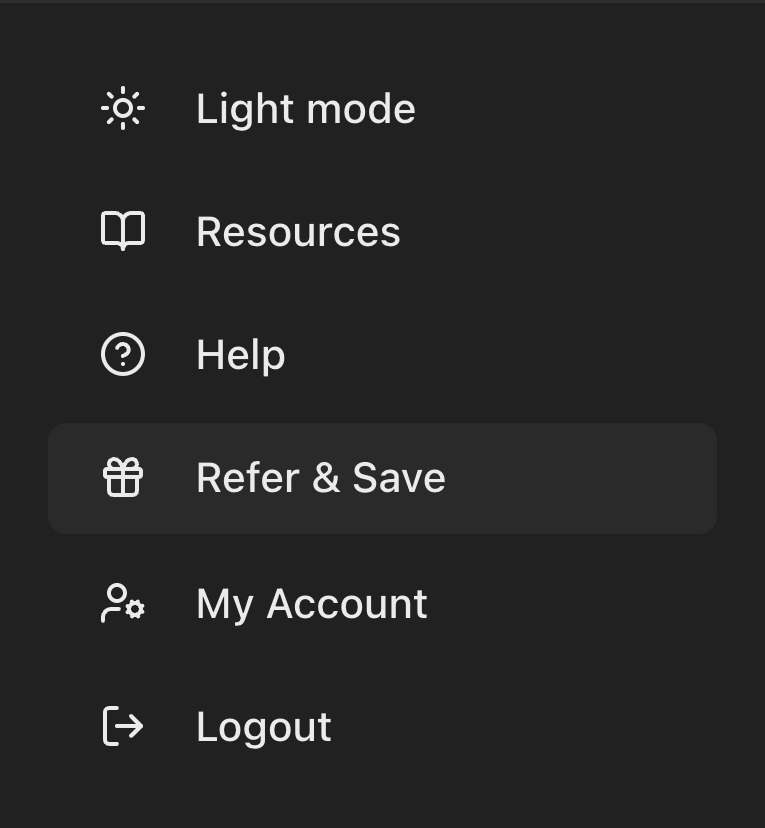
Click Refer & Save at the bottom of the left menu, directly under Help.
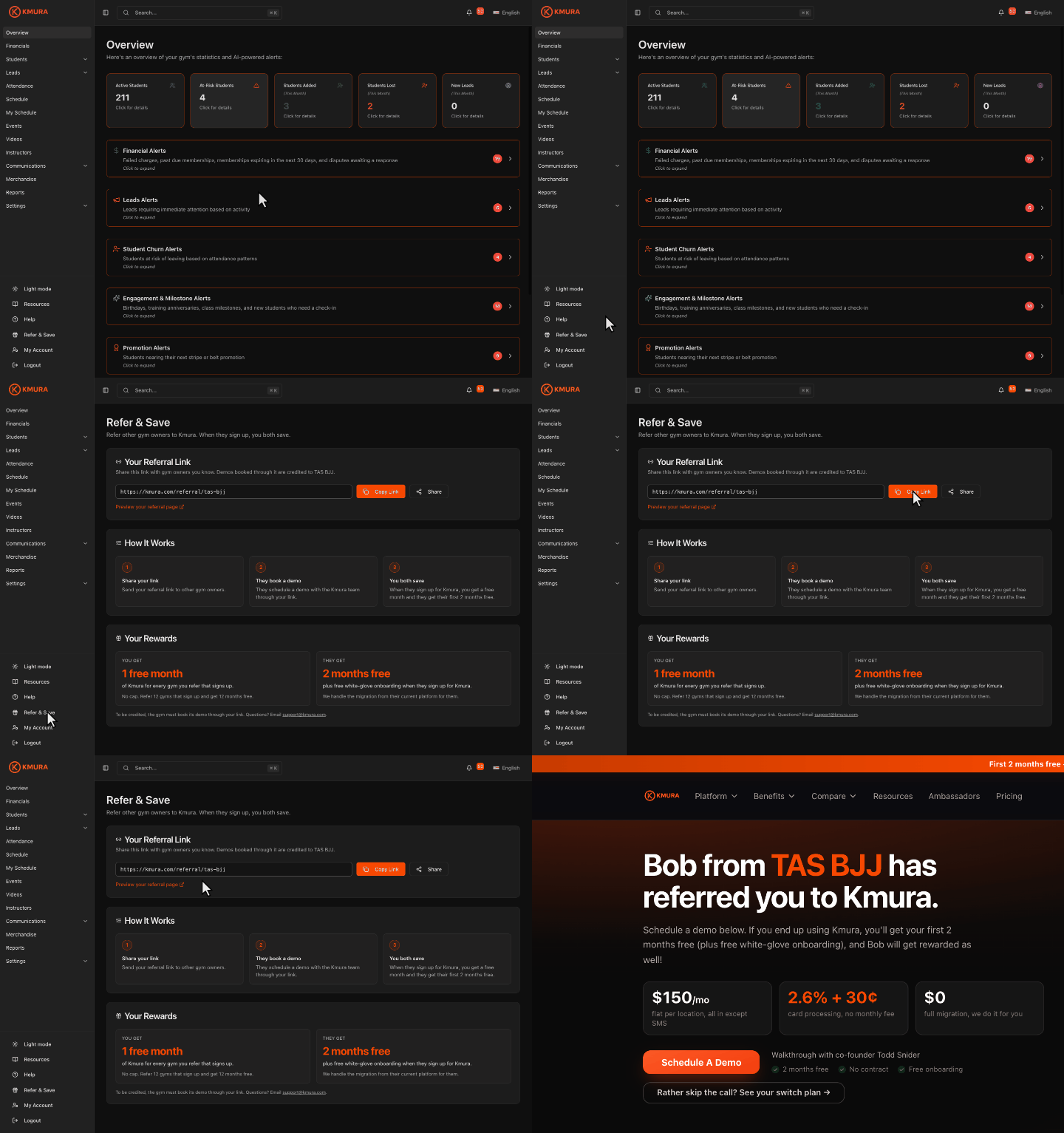
The page has three sections: Your Referral Link, How It Works and Your Rewards.
Note
The link belongs to your gym, so every demo booked through it is credited to your academy, whoever on your team shares it.
Copy or share your referral link
Under Your Referral Link, click Copy Link to copy it to your clipboard, then paste it into a text, email or social post.
Click Share to open your device's share menu and send the link straight to a messaging or social app instead.
Click Preview your referral page to open the page your link leads to in a new tab.
Tip
The link is the same every time you open this page, so you can add it once to your website, email signature or Instagram bio and leave it there.

What the gym owner you refer sees
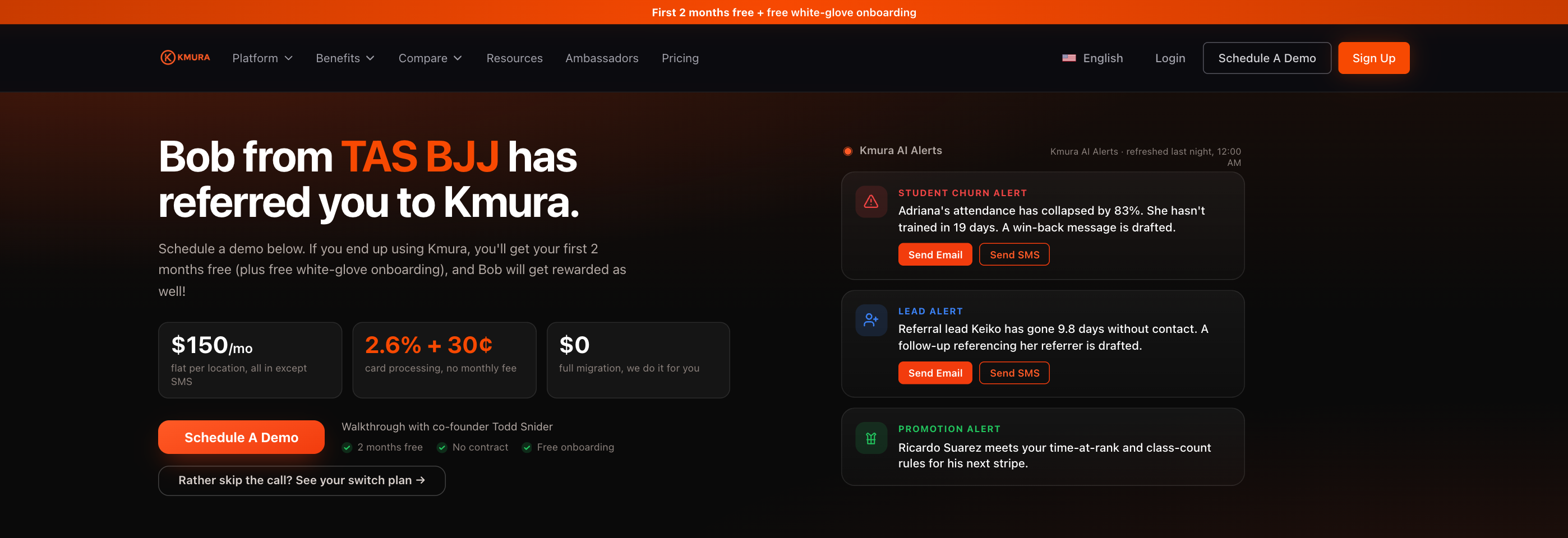
Your link opens a personalized Kmura page that greets them with your name and gym (for example, "Bob from TAS BJJ has referred you to Kmura.") and shows what they get: their first 2 months free plus free white-glove onboarding.
They click Schedule A Demo and pick a time for a walkthrough with the Kmura team.
Caution
To be credited, the gym must book its demo through your link. A demo booked any other way cannot be credited to you.
Understand your rewards
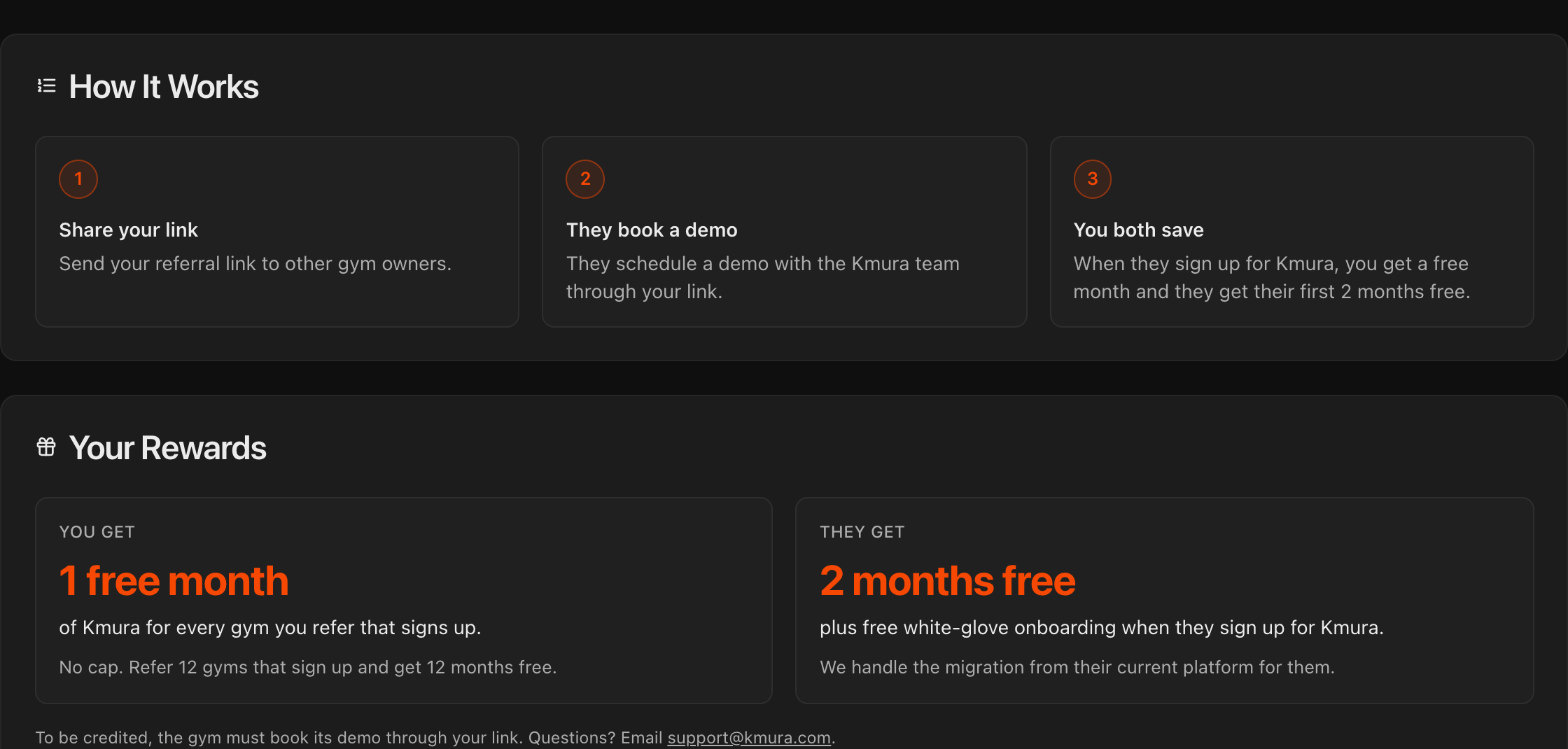
How It Works sums it up in three steps: share your link, they book a demo through it, and when they sign up for Kmura you both save.
Under Your Rewards, you get 1 free month of Kmura for every referred gym that signs up, with no cap. Refer 12 gyms that sign up and get 12 months free.
The gym you refer gets its first 2 months free plus free white-glove onboarding, and Kmura handles their migration from their current platform.
Questions about a referral or a credit? Email support@kmura.com.
Note
The credit is per gym that signs up, not per demo booked. A demo that does not turn into a Kmura subscription earns nothing.