Open a staff member's profile
Open the Instructors page from the sidebar.
Click any instructor's bubble to open their profile.
Each profile has four tabs: Details, Schedule, Documentation, and Compensation.

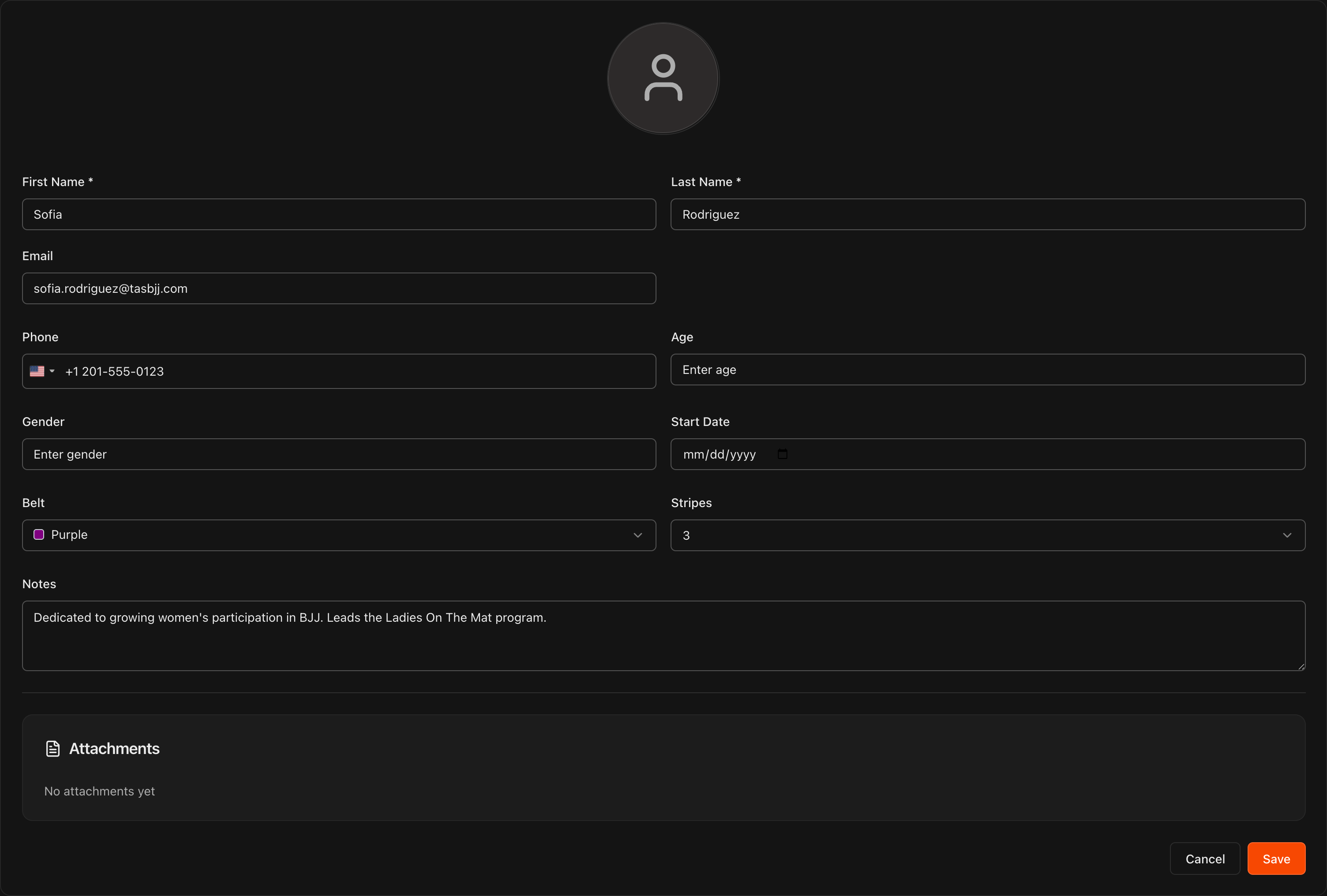
Fill in their details
On the Details tab, add contact information, Belt and Stripes, a Start Date, and internal Notes.
Click Save to keep your changes.
Upload documentation
On the Documentation tab, click Upload Document to attach files like signed employment agreements.
Documents are upload-only, so this tab acts as a secure filing cabinet for each staff member.

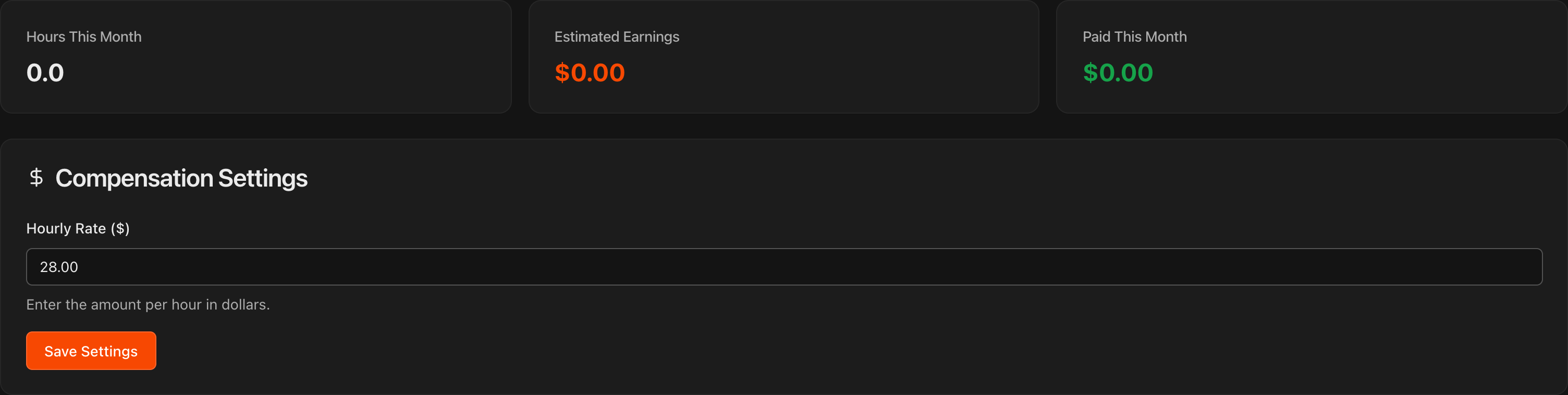
Set an hourly compensation rate
On the Compensation tab, enter an Hourly Rate ($) under Compensation Settings and click Save Settings.
The tab's tiles then track Hours This Month, Estimated Earnings, and Paid This Month for that staff member.
Caution
Kmura tracks compensation for your records only. It is not a payroll provider and cannot be used to actually pay your staff.
Note
Tracking hours and compensation for instructors is an optional feature provided for convenience. Other sections of Kmura will not be impacted if you choose not to use these features.
Review logged work hours
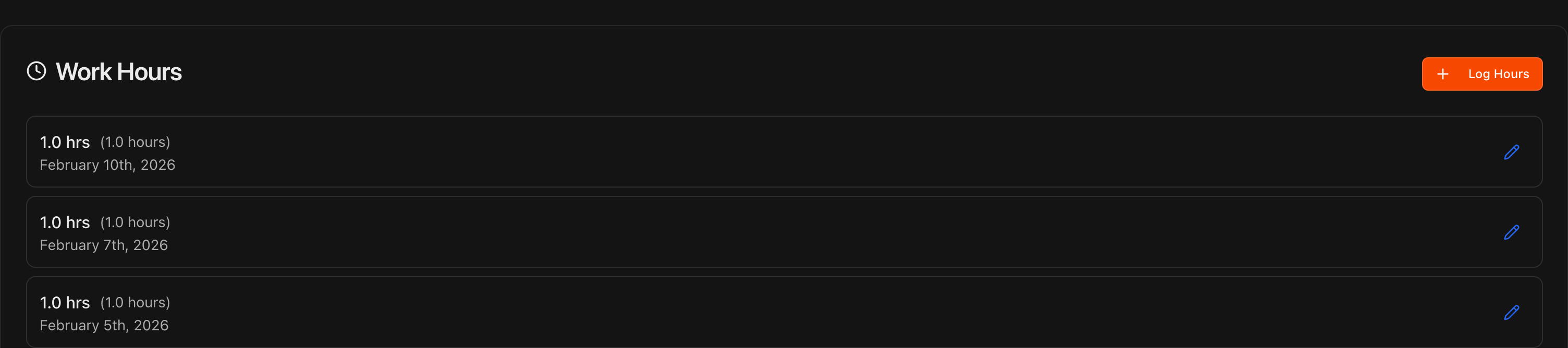
The Work Hours section of the Compensation tab lists each logged entry with its date and duration.
Click Log Hours to record a shift manually with clock-in and clock-out times and an optional description.
Entries can be edited later with the pencil icon.
Note
Instructors can log their own hours from their Kmura accounts, or mark themselves present for classes the same way students are marked present. Either way, the hours are visible to you here.
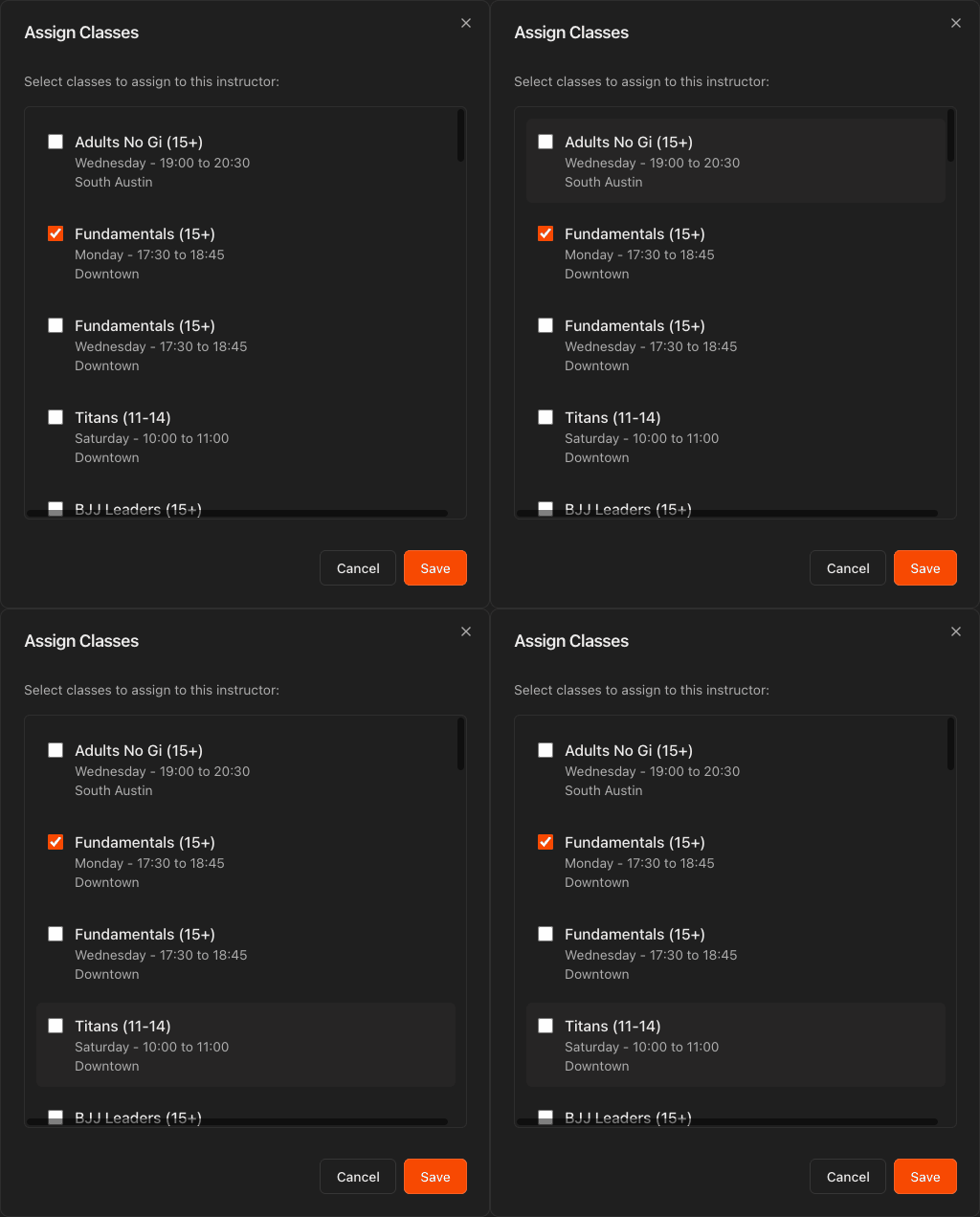
Assign classes on the Schedule tab
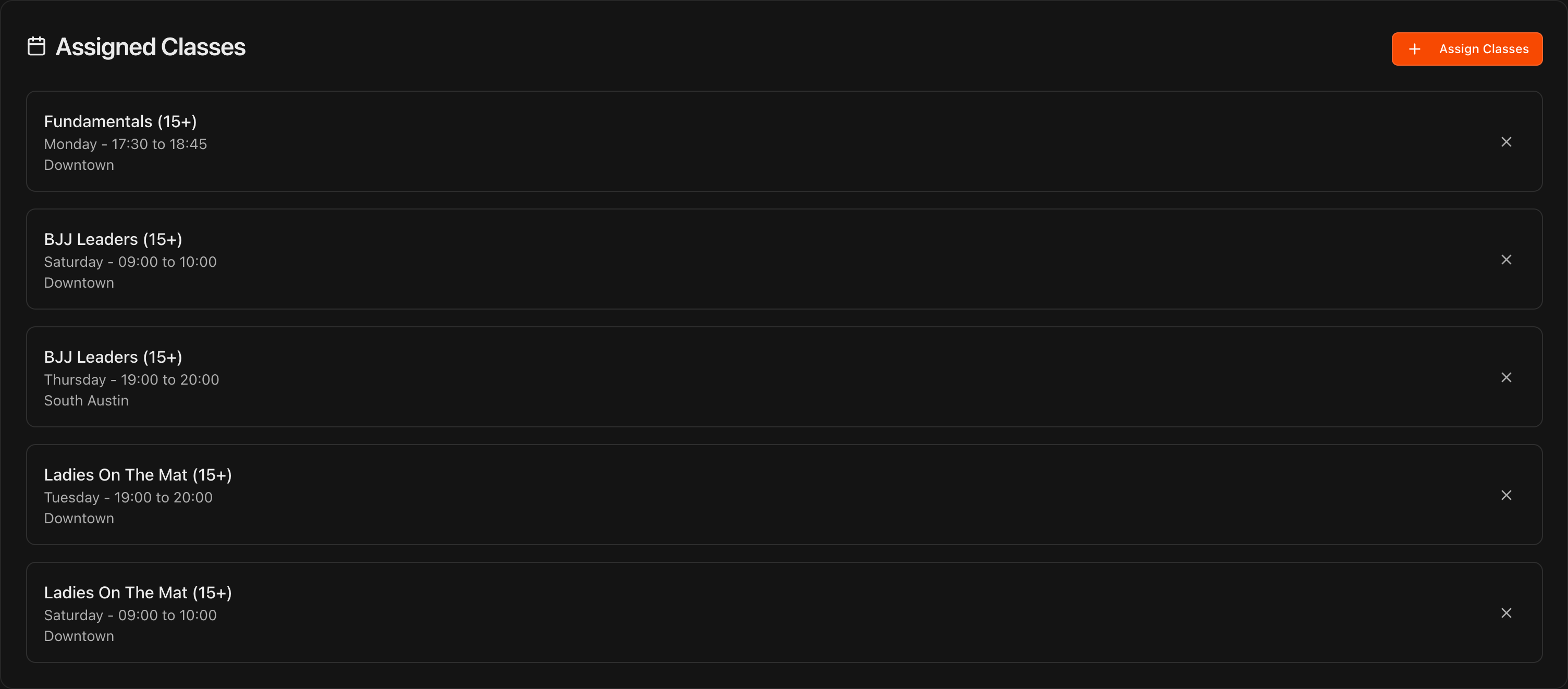
On the Schedule tab, the Assigned Classes list shows every class this instructor teaches.
Click Assign Classes, check or uncheck classes in the dialog, and click Save.
Remove a single class at any time with the X on its row.
Note
When instructors log into Kmura, they see a **School Schedule** page with the full academy schedule and a **My Schedule** page showing only the classes they are assigned to.
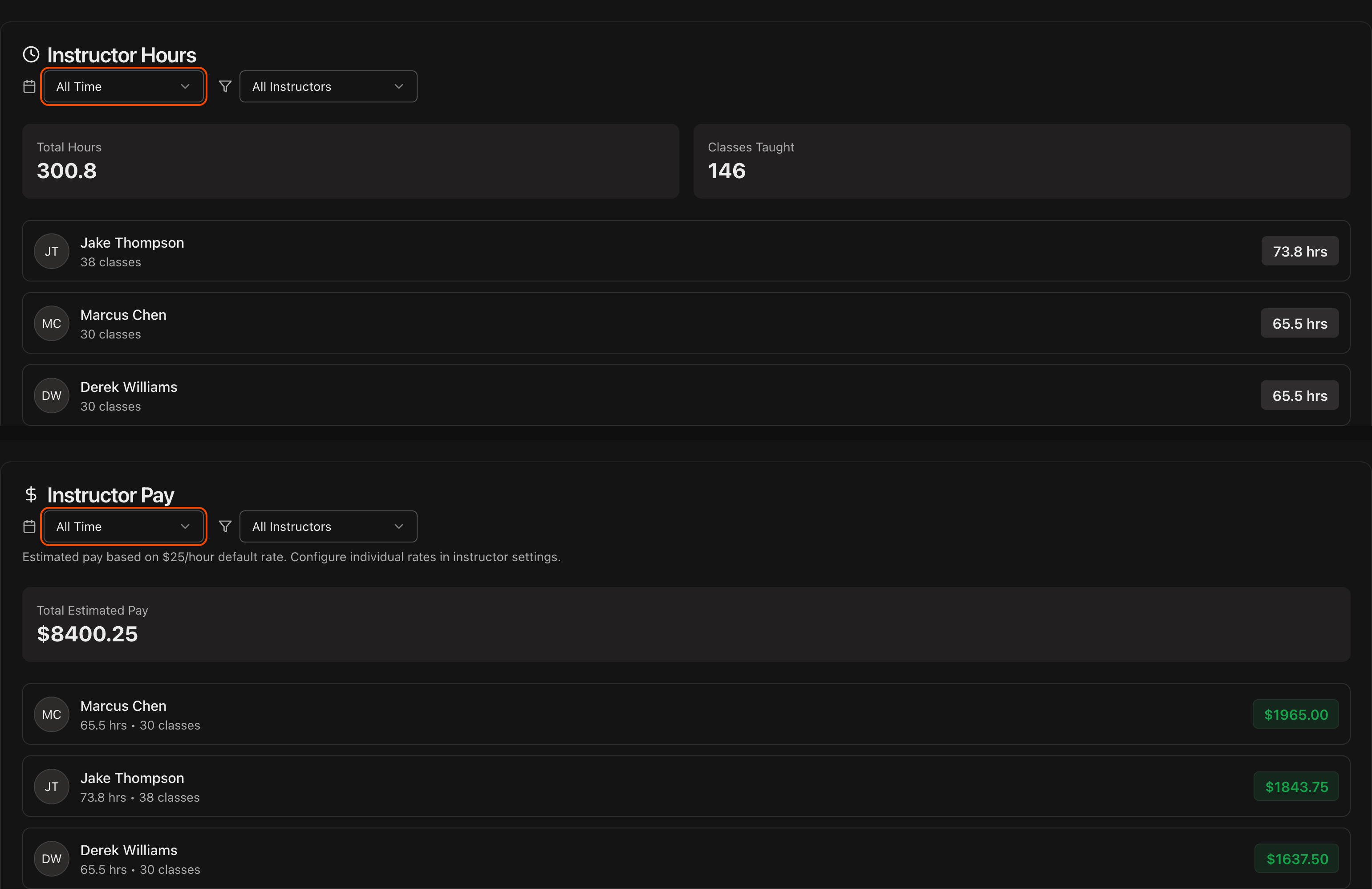
Track hours and pay across all staff
Back on the Instructors page, the Instructor Hours section totals logged hours and classes taught, filterable by period and instructor.
The Instructor Pay section shows estimated pay over the same filters, using each instructor's hourly rate.
Tip
If no individual rate is set, estimated pay falls back to the $25/hour default. Set each instructor's real rate on their **Compensation** tab for accurate numbers.