
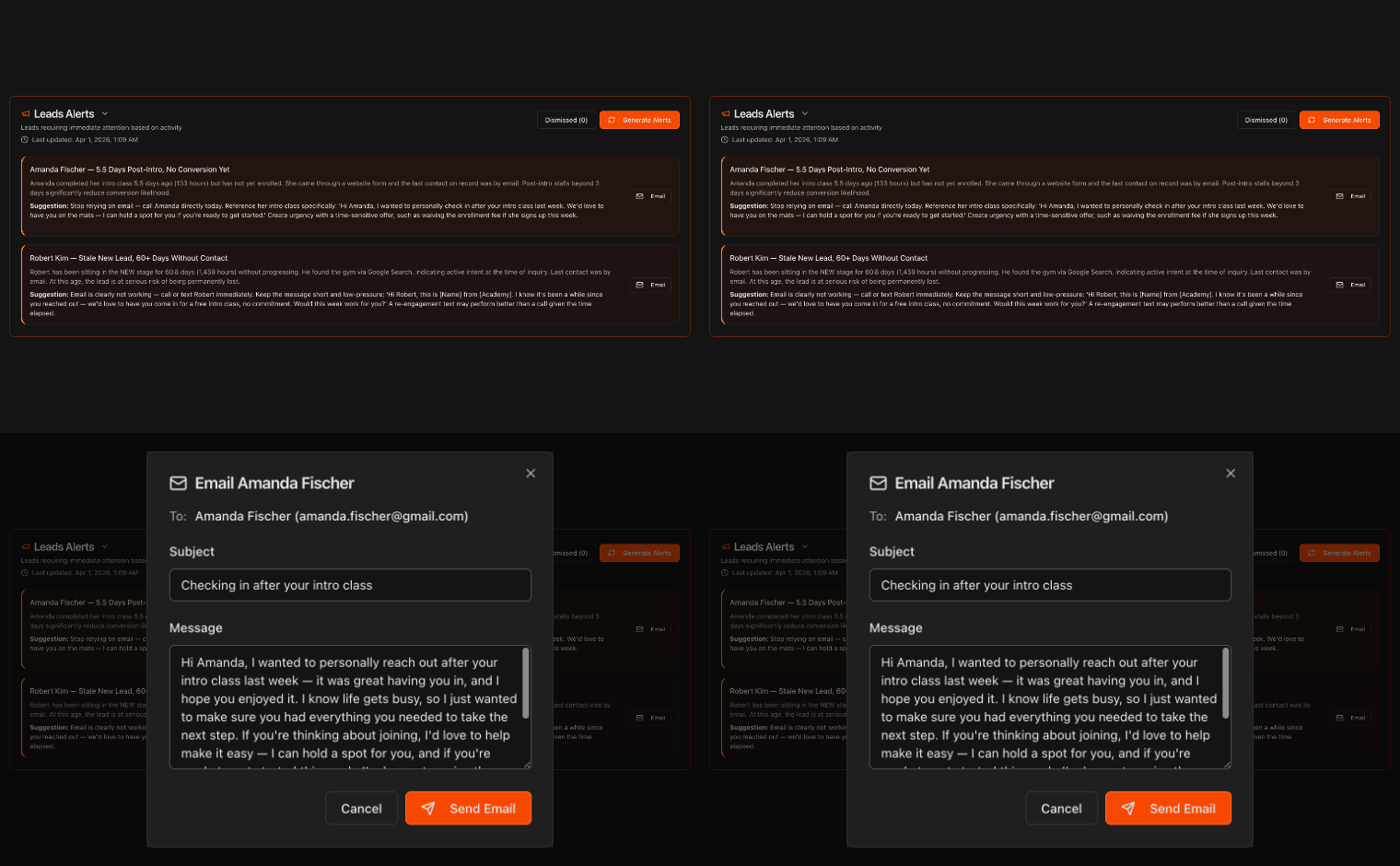
Open your Leads Alerts
Go to the Overview page from the left sidebar.
Scroll to the AI Alerts section and click Leads Alerts to expand it.
The number badge shows how many active lead alerts you have.
Note
Kmura's AI watches your leads as they move through the stages of the Kanban board on the **Leads** page, and flags leads that are growing cold so you can act before you lose them.
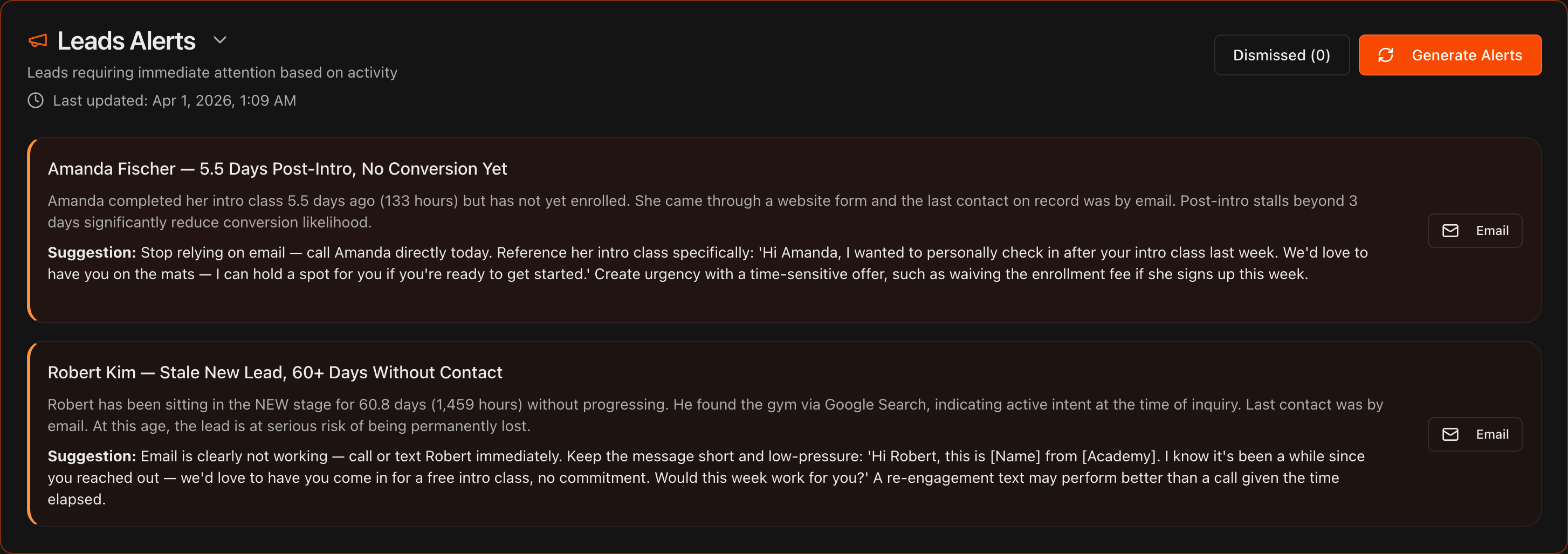
Read the alert and its suggestion
Each alert names a specific lead and summarizes their activity, such as days since their intro class with no enrollment.
A bold Suggestion recommends the next step to re-engage them.

Email a lead in one click
The most common fix for a cold lead is to reach out, so click the Email button on the right side of the alert.
Kmura's AI instantly drafts a personalized email, pre-filling the To, Subject, and Message fields.
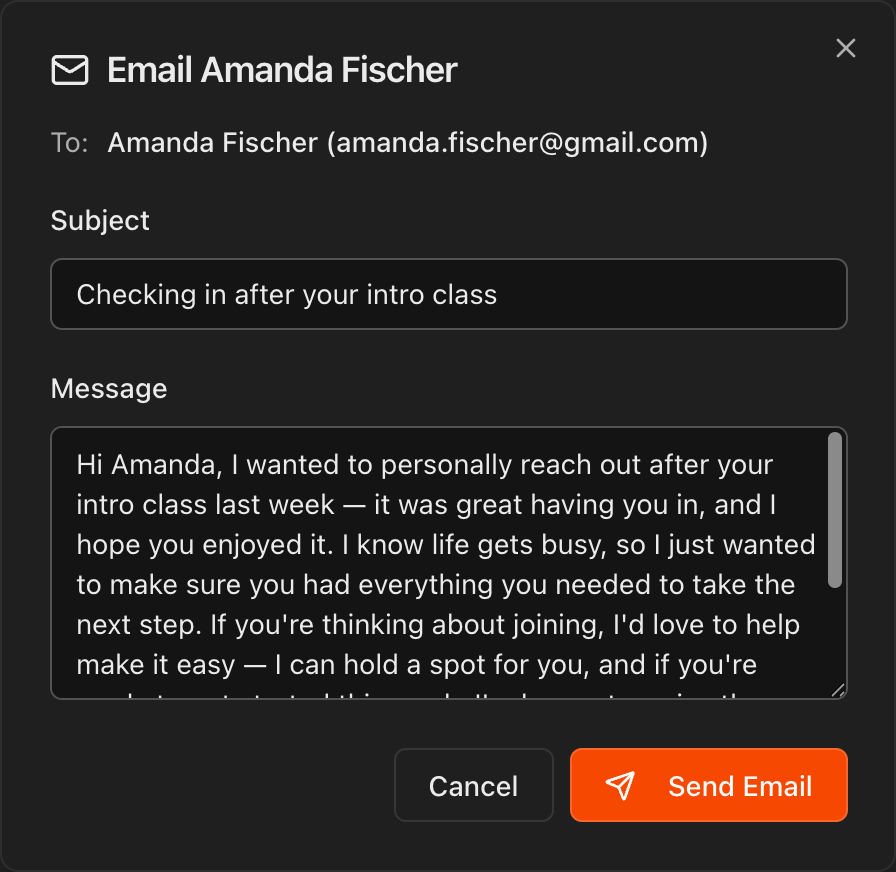
Edit and send
Review the draft and edit the Subject or Message however you like.
Click Send Email to reach out, or Cancel to close without sending.
Tip
The draft already references the lead's situation, but a quick personal touch, like a detail from their intro class, makes it land even better.
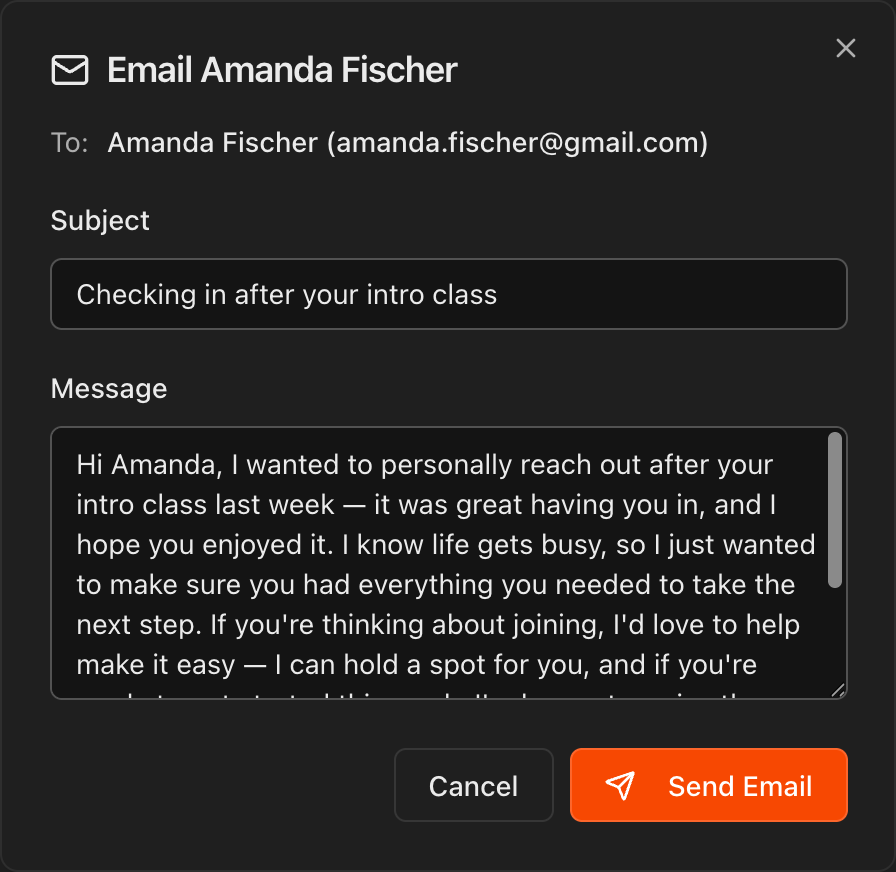
Dismiss and restore alerts
If an alert is inaccurate or no longer useful, hover over the alert bubble and click the X in its top-right corner to dismiss it.
Click the Dismissed button to review dismissed alerts and restore any of them if you change your mind.
Note
Kmura's AI automatically reassesses your gym's data every night at midnight EST and updates these alerts accordingly.
