
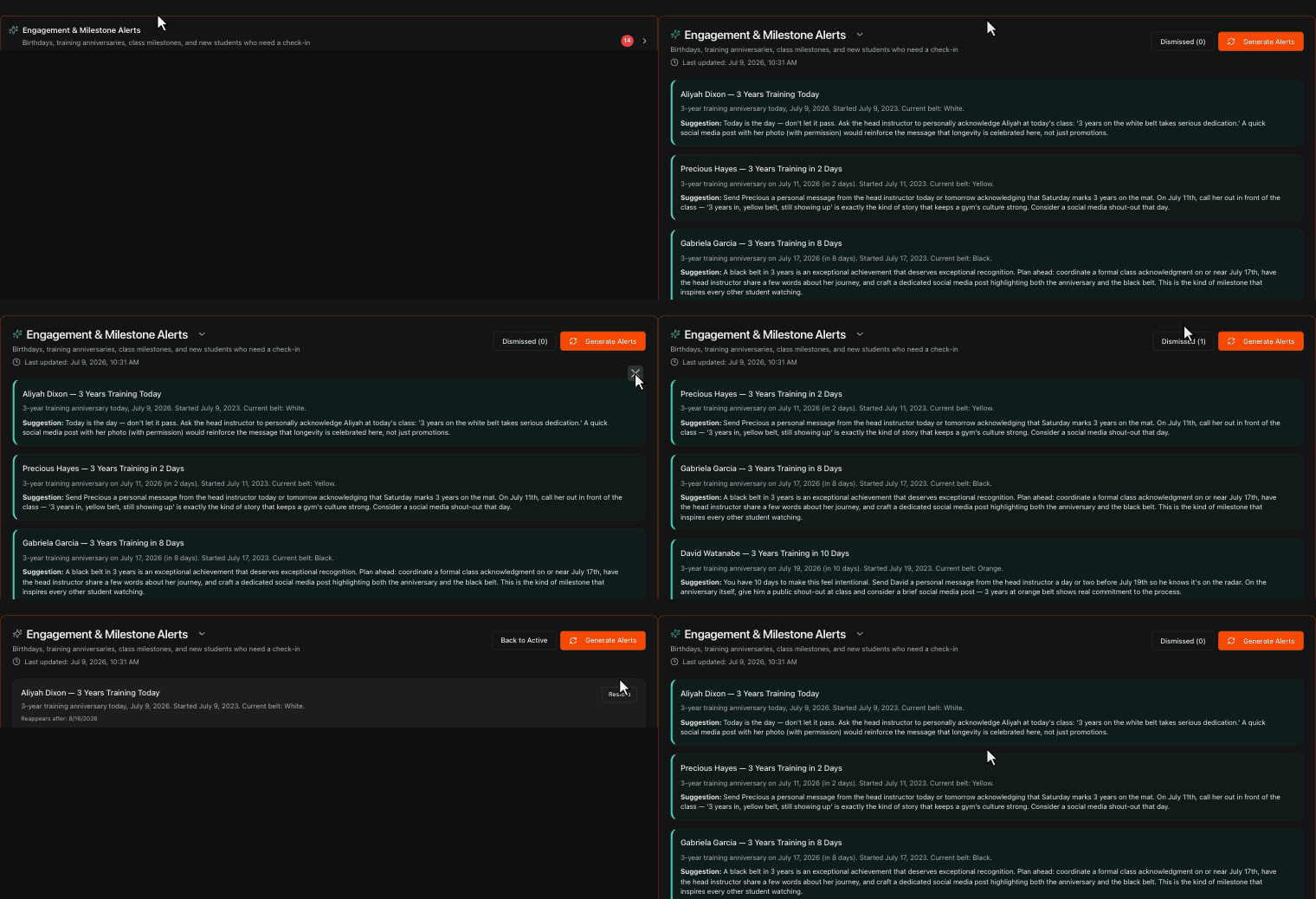
Open your Engagement & Milestone Alerts
Go to the Overview page and click Engagement & Milestone Alerts to expand it.
If the section is empty, click Generate Alerts to have Kmura's AI analyze your data.
Note
New students, especially white belts, drop out at a high rate, so recognizing their milestones keeps morale up and makes them far more likely to keep training.
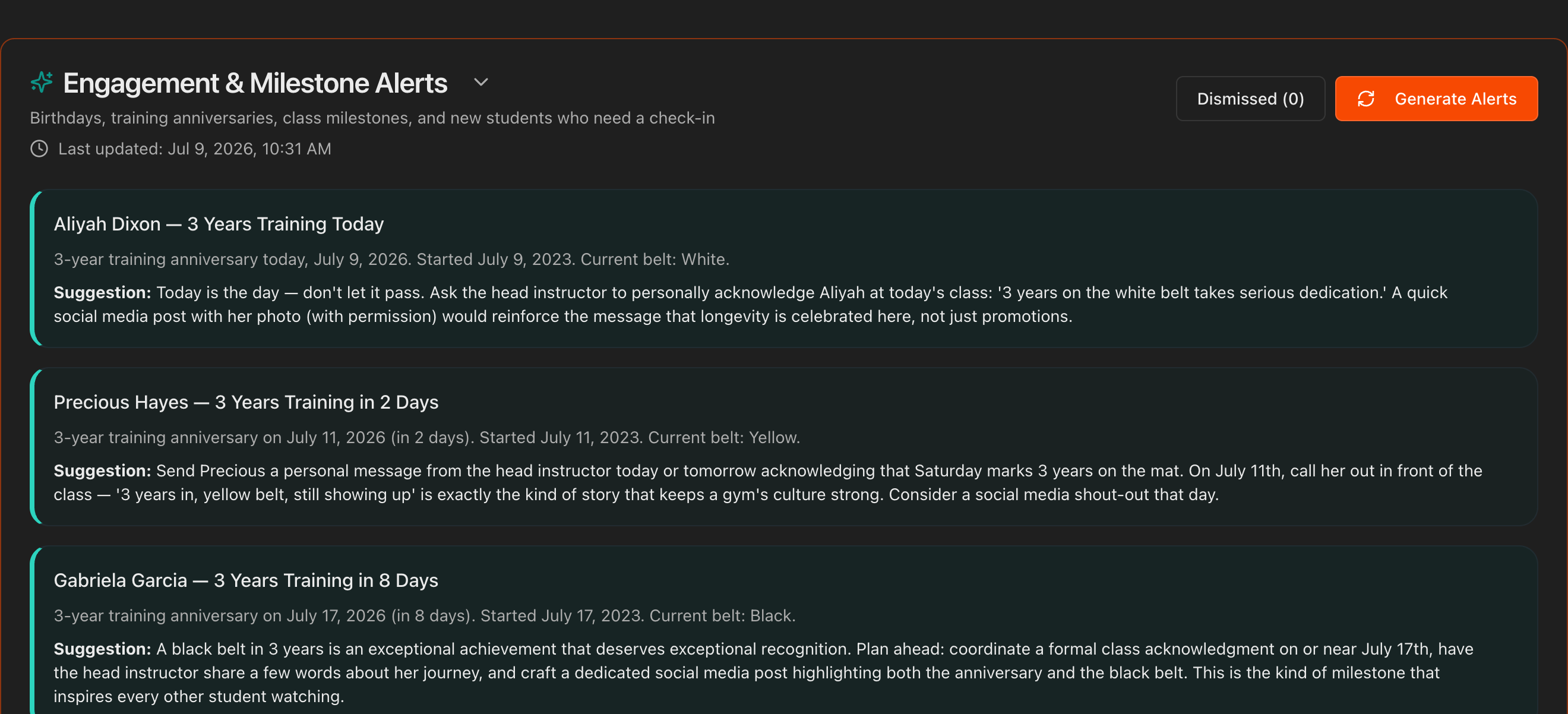
Read the milestone alert
Each alert flags an upcoming or recent milestone, such as a birthday, a one-year training anniversary, or a 100th class.
A bold Suggestion recommends how to recognize the student.

Recognize the student
Use the alert as a prompt to celebrate the student, whether with a shout-out in front of the class, a quick message, or a small gesture at their next session.
Public recognition of persistence and hard work makes students feel validated and strengthens their commitment.
Tip
A 30-second acknowledgment in front of the class costs nothing and is one of the cheapest retention tools you have.

Dismiss and restore alerts
Hover over an inaccurate or stale alert and click the X in its top-right corner to dismiss it.
Click the Dismissed button to review dismissed alerts and restore any of them if needed.
Note
Kmura's AI automatically reassesses your gym's data every night at midnight EST and updates these alerts accordingly.
